Every word on comms, written down as it's said.
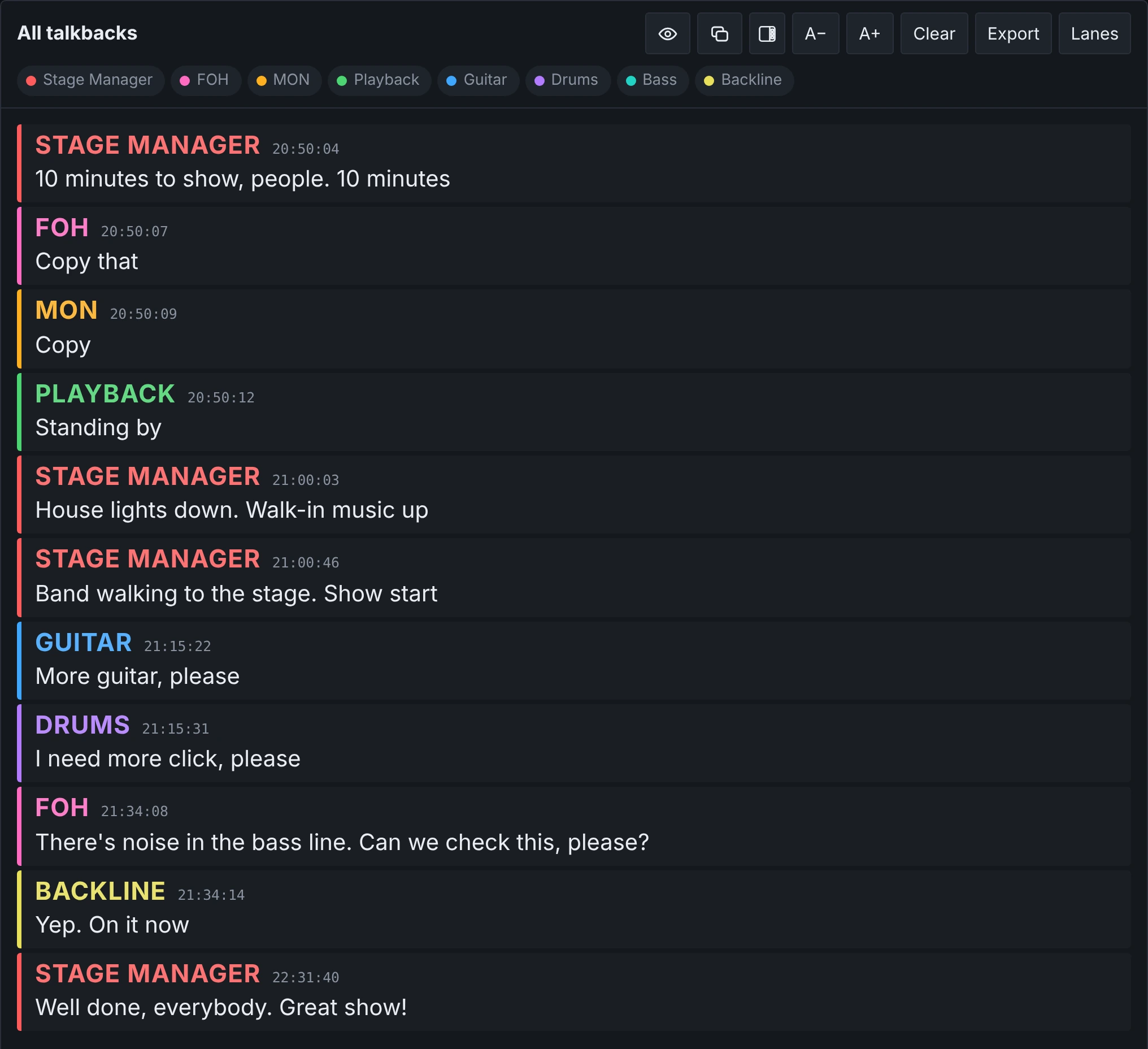
CaulTalk listens to the talkback mics in your show and turns them into a live chat on your Mac. Who said what, in their colour, the moment they say it. Nobody misses a call.
See how it works
Each feature below has its own short clip, so you can watch just the part you need.
Built for the noise and speed of a real show
Up to 128 talkbacks, from any interface
Mix inputs from every interface your Mac can see: Dante, MADI, USB, all at once. Each talkback gets its own name and colour.
From picture: drop in a screenshot of your console's channel names or patch list, and it finds every talkback and adds them for you.
Hear a word, flash the screen
Choose words that matter, like “spare” or your name, and the screen flashes when someone says them.
Say it, and the gear does it
Pick a word or phrase and the OSC message it sends. Someone says “go to spare” on talkback, and the console switches to the spare mic. You choose who can trigger each command, and it can ask you to confirm on the Mac first.
One switch between soundcheck and show
Each mode remembers which talkbacks are on, which alerts flash and which commands are live. Vocal mics on and flashes off for soundcheck, the show setup for the show: just flip the switch.
It follows your show's timecode
Feed it your LTC and CaulTalk knows exactly where the show is, to the frame. That's what makes it precise: notes, voices and recorded messages land at the exact moment. It finds the frame rate by itself, or you set it.
Instructions at the exact moment
Place notes at exact points of the show. When the timecode gets there, the note appears on every screen, can flash, be said out loud or play a recorded message. Nobody misses an important call. Notes can also be fired by hand.
Say it out loud, down any output
Type a message and have it spoken down any output channel, in the voice you choose.
Record once, play on cue
Use any talkback line to record a message, then play it on any output whenever you need it, from a button, a note or a timecode. Every message is written down too.
Buttons that control your whole setup
Buttons that send OSC to anything that listens: control features of your console, run QLab or Ableton, cue lighting, or drive software on the same Mac. They can also speak, play a recording or fire a note, and one button can fire several at once.
The crew can watch, nothing more
Scan a QR code, type the password, and the chat appears on any phone or tablet. They can only watch. Everything stays controlled from the Mac.
The crew speaks, it understands
About 65 languages, so a crew from anywhere can use it.
Up and running before soundcheck
- STEP 1Send it the talkbacksRoute your talkback mics to inputs on your audio interface, the same feeds you already send to comms.
- STEP 2Name themGive each input a name and colour, or drop in a screenshot of your patch list and it fills them in.
- STEP 3Do the showThe chat fills in as people talk. Share it to phones with a QR code if the crew wants to follow along.
What's said on comms stays on your Mac
The speech is turned into text by the Mac itself. Nothing anyone says is sent to the internet or to anyone else's servers.
Phones and tablets only connect to your Mac, on your own network, and only while you let them. Each new session gets a new QR code.
The app needs the internet once, to activate. After that it works offline.
Once.
No subscription. Try it on a real show first: every feature is yours for 14 days, free.
- Every feature, during the trial too
- Your key works on one Mac
- [Updates: to decide]
Questions
What do I need?
A Mac with Apple silicon and an audio interface that gets your talkback feeds. The app brings everything else it needs.
Does it need the internet during the show?
No. It needs the internet once, to activate, and the first time it downloads the speech model. After that it works offline.
How does the free trial work?
Download it and use everything for 14 days on one Mac. When the trial ends, buy a key and carry on with the same setup.
Can the crew type into the chat from their phones?
No, on purpose. Phones and tablets can only watch. Only the Mac controls the show.
Is there a user guide?
Yes. It comes with the app, and you can read it here: [LINK TO THE USER GUIDE].